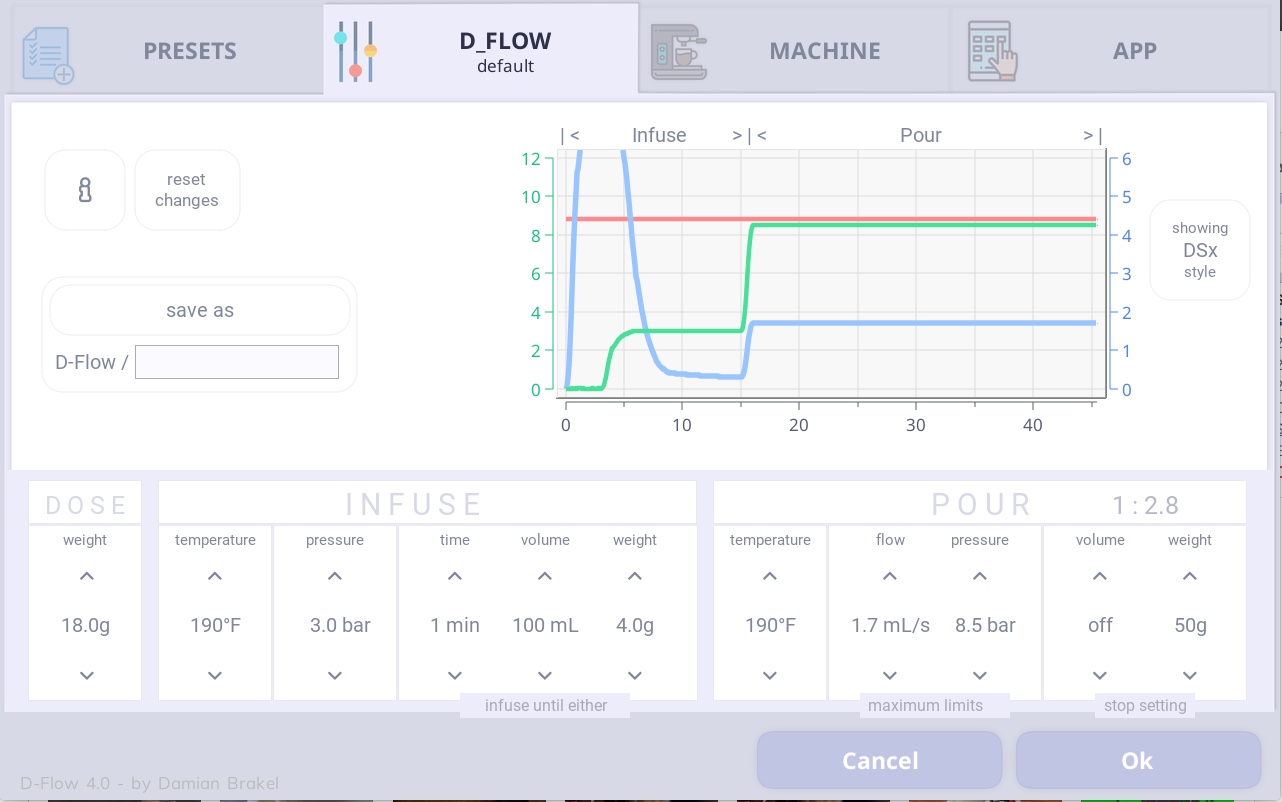
D_Flow is a de1app profile_editor for creating and editing a particular style of espresso profiling.
D_Flow comes preinstalled with your de1app, including 3 D_Flow profiles, default, La Pavoni and Q.
D_Flow profile names are saved in the form of D_Flow / profile_name so that they list within a D_Flow category in the apps Presets list.
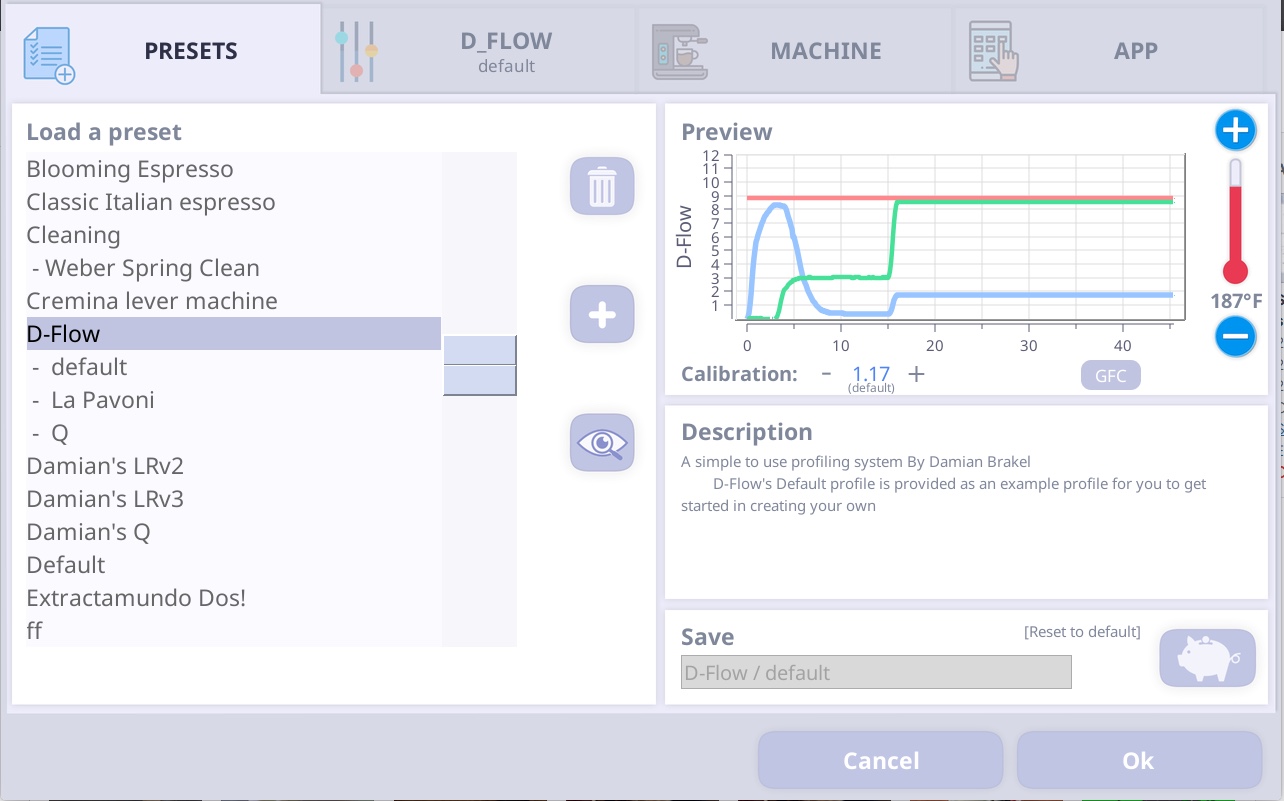
The purpose of the D_Flow / default profile is to setup appropriate preliminarily settings, to initialize the editor settings.
These preliminarily settings were chosen to be realistic, conservative values, values which should produce a reasonable espresso from a wide range of coffee puck variations, and although many people do use the profile as is, they were not intended to a profile as such, rather preliminarily settings to get you started with making your own D_Flow profiles.
I personally have not made coffee with D_Flow / default settings. If I did, I would grind so that extraction pressure reaches about 8 bar and naturally declines with a constant flow rate.
The first profile I created for our use was the La Pavoni profile. Later changing to Xtaction beans, I created the Q profile which is what we currently use today.
Both those profile have descriptions and a demo graph to illustrate how to dial in your grind size for them. This information will show on the Presets page when the respective profile is selected.
The editor page
To get started with creating your own D_Flow profile, select the D_Flow / default profile from the Presets list and then tap the editor tab labelled D_Flow to edit the profile.
Then tap in the text input box, and give you profile a unique name and tap save as, to create your new profile.
You can then adjust settings to suit your goals, tapping the heading tab to save those changes.
Note: D_Flow editor has an “i” information button, which will provide tips on what effect each setting has.
To summarize a D_Flow profile, we can think of it as having 4 sections
We can profile with an inclining or declining temperature, by setting infuse and pour to different temperatures.
- Infuse
We can set profiles to hold a low pressure while the coffee grinds to soak water for a period of time. Some examples of this are, to infuse until first drops start, infuse until a certain mass has extracted, or turn the set off or set 1s to simply skip infusion.
- Pour
The pour has basically 3 boundaries. A flow goal/limit, a pressure goal/limit and targeted amount to extract.
Both the flow and pressure settings work as both goals and limits, the actual role they take on is determined by the pucks resistance, which you adjusted by grinding finer or more coarse.
The machine will try to maintain the flow setting, unless the pressure setting is reached, in which case it will reduce flow to maintain that pressure setting. With a finer grind, more pressure is required to push water through the puck, therefor if you grind fine enough, the profile will pour at the pressure settings and will adjust flow to compensate for puck changes over the time. If you grind coarse enough, the machine will be able to flow water through the puck at the flow rate goal with out needing to increase pressure past the pressure limit. In which case the pour will extract at that flow rate goal and regulate pressure to compensate for puck changes.
One way to look at it is, a finer grind will cause the pour to run like a typical boiler machine extraction, at a constant pressure. A coarser grind will cause the pour to run more like a typical lever machine extraction, where you would fine tune the grind for a maximum pressure peak some where under your pressure limit. Or you can of cause have some thing in between, where part of the pour is at the pressure goal which then switches to a constant flow once the flow goal is achieved.
- Yield
The final settings determines when to stop the pour. We have two options, volume and weight. I recommend using weight and having volume set to off, this requires a connected scale. If for some reason a scale is not an option for you, then you can use volume, however you may find you need to set the value up or down a little to allow for some error. You should note, if you have both settings on, the shot will end as soon as one of the setting is reached.